rigctlWeb
Your radio's control panel, in any browser.
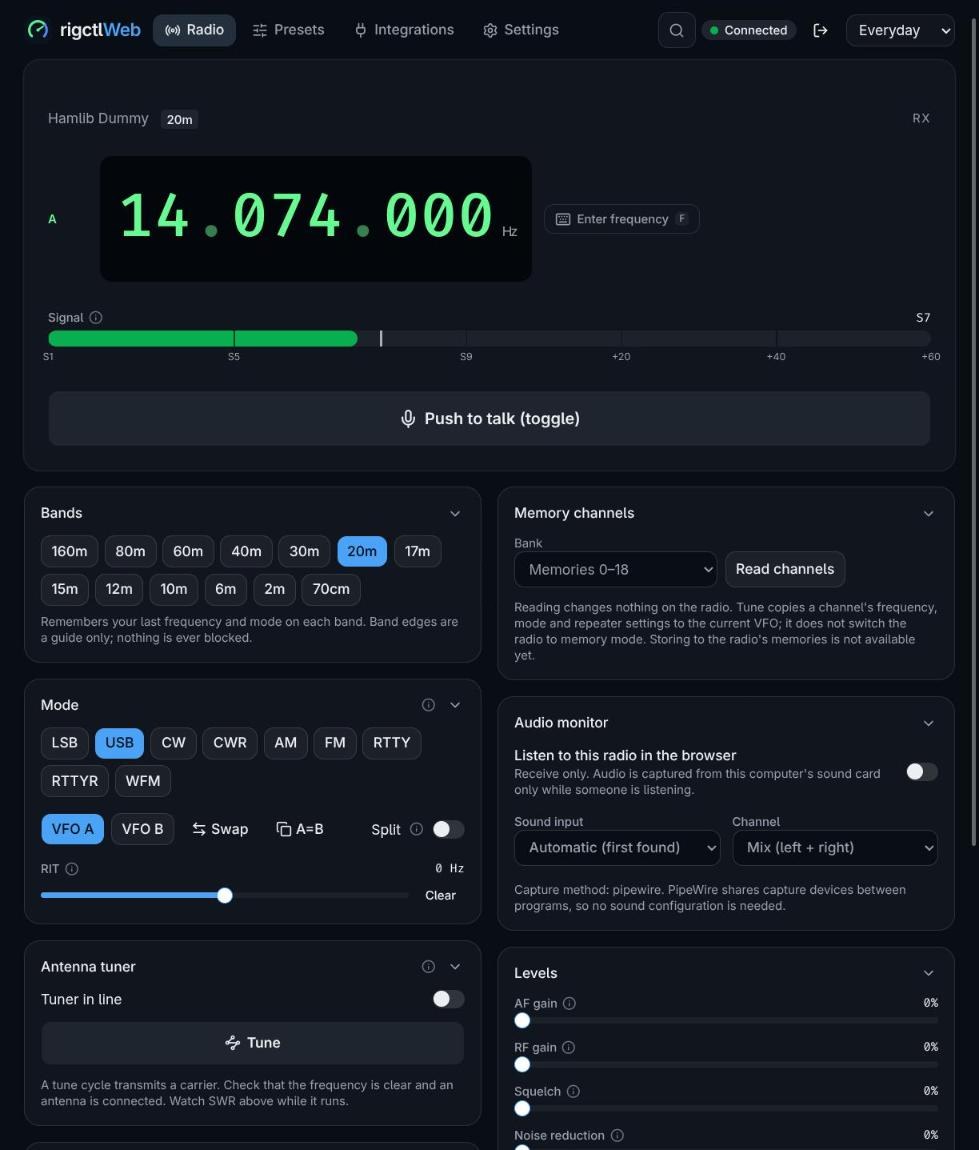
A free, open-source web panel for Hamlib's rigctld, in the spirit of flrig. Tune, watch the meters and reach every control your radio supports from a phone, tablet or computer on your network.
Early days: the control surface works and the first release is out. Radio reports are very welcome on GitHub Discussions.
What it does
One small program
A single binary with the web page inside. Linux and Raspberry Pi first, macOS and Windows too.
Shares the radio
rigctld takes several clients, so Pat, WSJT-X, fldigi and rigctlWeb can use one radio together.
An open API
A versioned REST API with an OpenAPI description, for loggers, dashboards and your own scripts. It never keys the transmitter.
Download
v0.1.0, published 2026-11-26. Release notes · SHA-256 checksums
Raspberry Pi and other 64-bit ARM Linux
chmod +x, then run it (or see the install guide for a service)
Linux on a PC
chmod +x, then run it
macOS
chmod +x, then run it from Terminal
Windows
run it from a terminal
You also need Hamlib's rigctld running for your radio. See Install and Connecting a radio.
Documentation
Install
Download rigctlWeb, set up rigctld for your radio, and run both as services on a Raspberry Pi or Linux.
Connecting a radio
Add a radio, use more than one, make one read-only, and share a radio with other programs.
The panel
A tour of the controls, views, audio monitor, memory channels and transmit safety.
Radio presets
Browse settings other operators shared on openRMS Rigs, check them against your radio, apply them safely and restore your old values.
Security
Keep rigctlWeb on your LAN, sign-in and tokens, remote access, and what it never sends anywhere.
Troubleshooting
Not connecting, missing controls, slow radios, sign-in, the audio monitor and presets.
API
The versioned REST API (v1) with an OpenAPI 3.1 description, for loggers, dashboards and scripts. It never keys the transmitter.
Integrations
Share one radio through rigctld with Pat, WSJT-X, fldigi, JS8Call and other programs.
Free as in ham radio
No license keys, no paywalls, no accounts and no kill switches, ever. Competing and interoperating projects are
welcome, and so are contributions: radio quirks and dump_caps reports especially. If it's useful to
you, a tip is appreciated but never required.